

Support center NAO6
A new Software version is compatible for NAO6, since March 2026.
This new version is related to the with New European directive : RED Radio equipment directive
This directive aims to harmonize the regulations of the Member States of the European Union in order to allow the free movement of radio equipment.
What's new?
This new version is changing the way to daily manage your NAO and requires:
- to opt for open or closed platform during the setup (see Radio equipment directive below)
- the installation of a new version of Robot Settings https://maxtronics.com/en/robot-settings/
- the change of the port number to connect NAO to Choregraphe from 9559 to 9561
- to download or upload applications from the new Maxtronics app-store website https://cloud.nao6.maxtronics.com/ – Note: to recover your account from the Aldebaran store, click on “forgot password?”
Please check the compatibility links below:
| NAO6 sold in 2025 or before | NAO6 sold from 2026 | |
|---|---|---|
|
Software version |
NAOqi 2.8.7.4 |
NAOqi 2.8.7.7 |
|
Robot Settings |
||
|
Robotics Applications website |
||
|
Choregraphe and SDK |
||
|
NAO Activities Software version (in option with annual subscription) |
NAOqi 2.8.8.4 |
NAOqi 2.8.8.5 |
How to proceed to the Software Update?
For new NAO6 units (sold in 2026), your NAO is already using the latest version, follow this documentation Maxtronics – Unboxandsetup
For existing NAO6, please follow these steps to update NAO with the new version:
- Open your current version of Robot Settings (V. 1.2.1)
- Check the Software Update
- Start the Software update
- Now install the new version of Robot Settings (V. 2.0.2)
- Connect to your robot with the IP address (click on NAO torso button to get its IP address with this format : XX.XX.XX.XX)
- Select the Safety and security new parameter in the setup screen (see RED Radio equipment directive information below)
RED Radio equipment directive
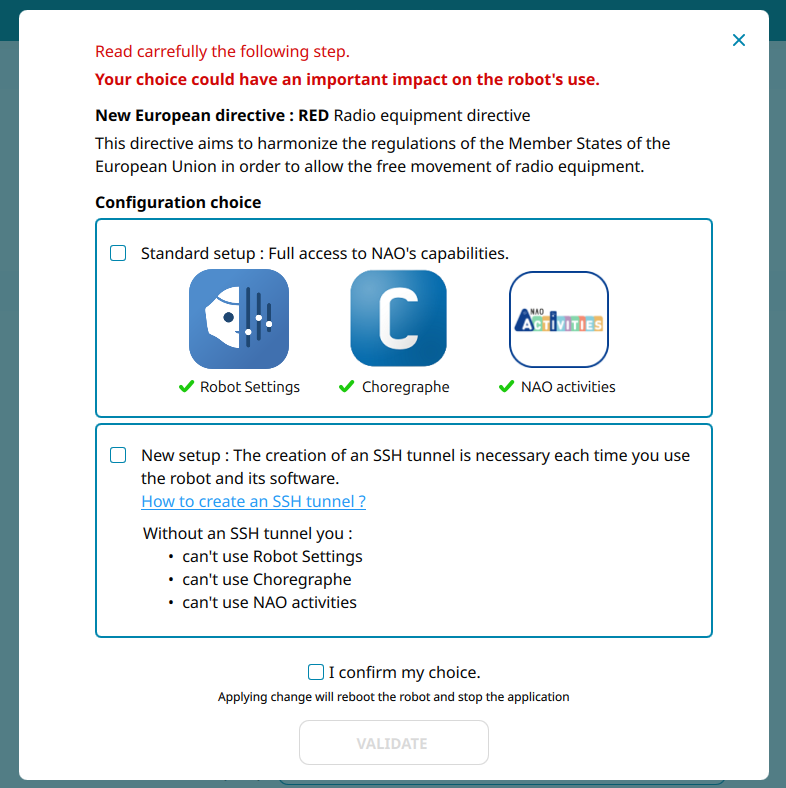
This new version proposes 2 types of usages.
The Radio equipment directive directive aims to harmonize the regulations of the Member States of the European Union in order to allow the free movement of radio equipment.
During the setup of a robot bought from 2026 (using NAOqi version 2.8.7.6 or latest), you will be able to chose if:
– you want your robot to be setup as an open platform
– or if you would like to secure all the communication with NAO. For that second option, a SSH tunnel will be required every time you want to connect to NAO through Robot Settings, Choregraphe or NAO Activities.
CHOREGRAPHE: New Port for Connection to NAO robot
To connect your NAO with the Choregraphe Software, you should change the port number.
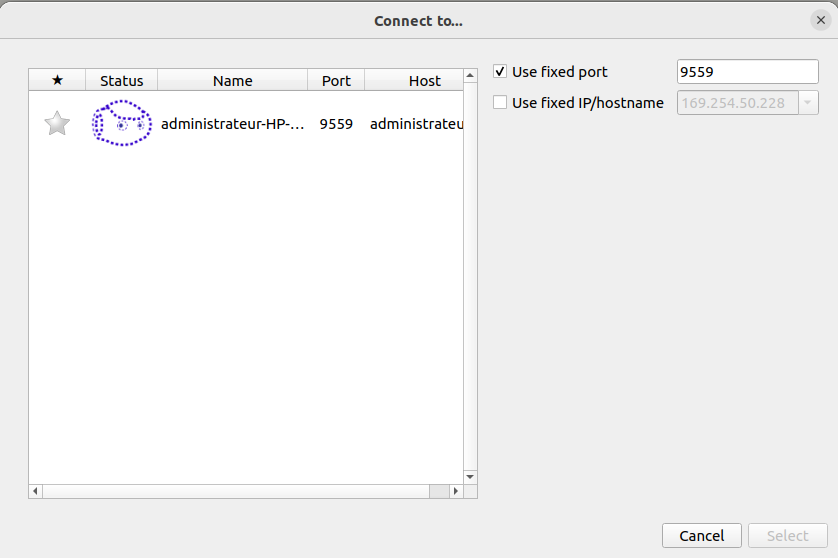
The previous version of NAOqi was using the port 9559 to connect to NAO.
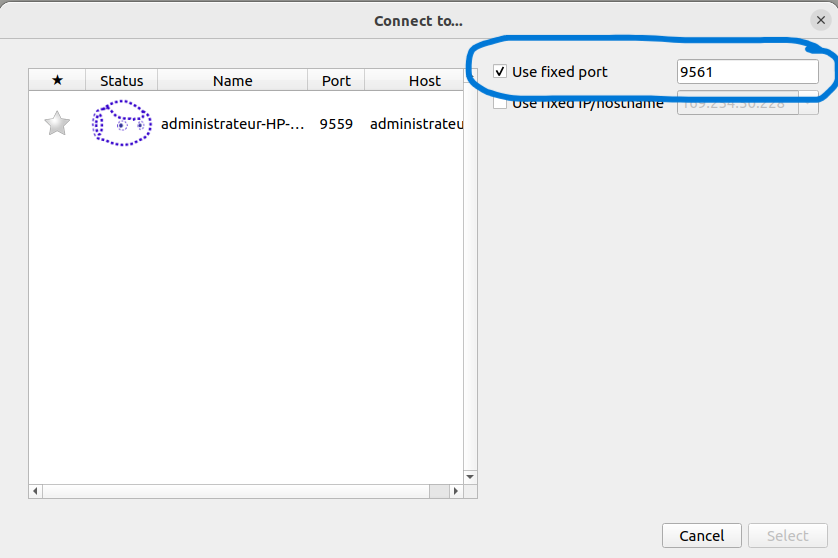
The latest version of NAOqi is now using the port 9561 to connect to NAO.
Please edit this port number before trying to connect to NAO.